Implementing an ERP system is a major decision for any growing business. It changes how departments work, how information moves across the organisation and how management makes decisions.
But choosing the right ERP software is only one part of the process.
A successful implementation depends on how well the software is configured around your business processes, how accurately existing data is migrated, how effectively employees are trained and how prepared your organisation is for the transition.
For Indian businesses considering SAP Business One, understanding the implementation process is essential before committing to the project.
This guide explains the key stages of SAP Business One implementation, the factors that influence its timeline and cost, common challenges, and what to look for when selecting an SAP implementation partner in India.
What Is SAP Business One Implementation?
SAP Business One implementation is the process of setting up and adapting the ERP system to manage a company's business operations.
It involves more than installing software. The implementation partner studies the organisation's workflows, identifies business requirements, configures the system, migrates relevant data, tests processes and prepares employees to use the new platform.
Depending on the business, the implementation may cover:
- Financial management and accounting
- Sales and customer management
- Purchasing and procurement
- Inventory and warehouse management
- Production planning and control
- Reporting and business intelligence
- Service management
- Third-party integrations and custom add-ons
The objective is to connect business functions through a central system and provide teams with more consistent, accessible information.
7 Key Steps in the SAP Business One Implementation Process
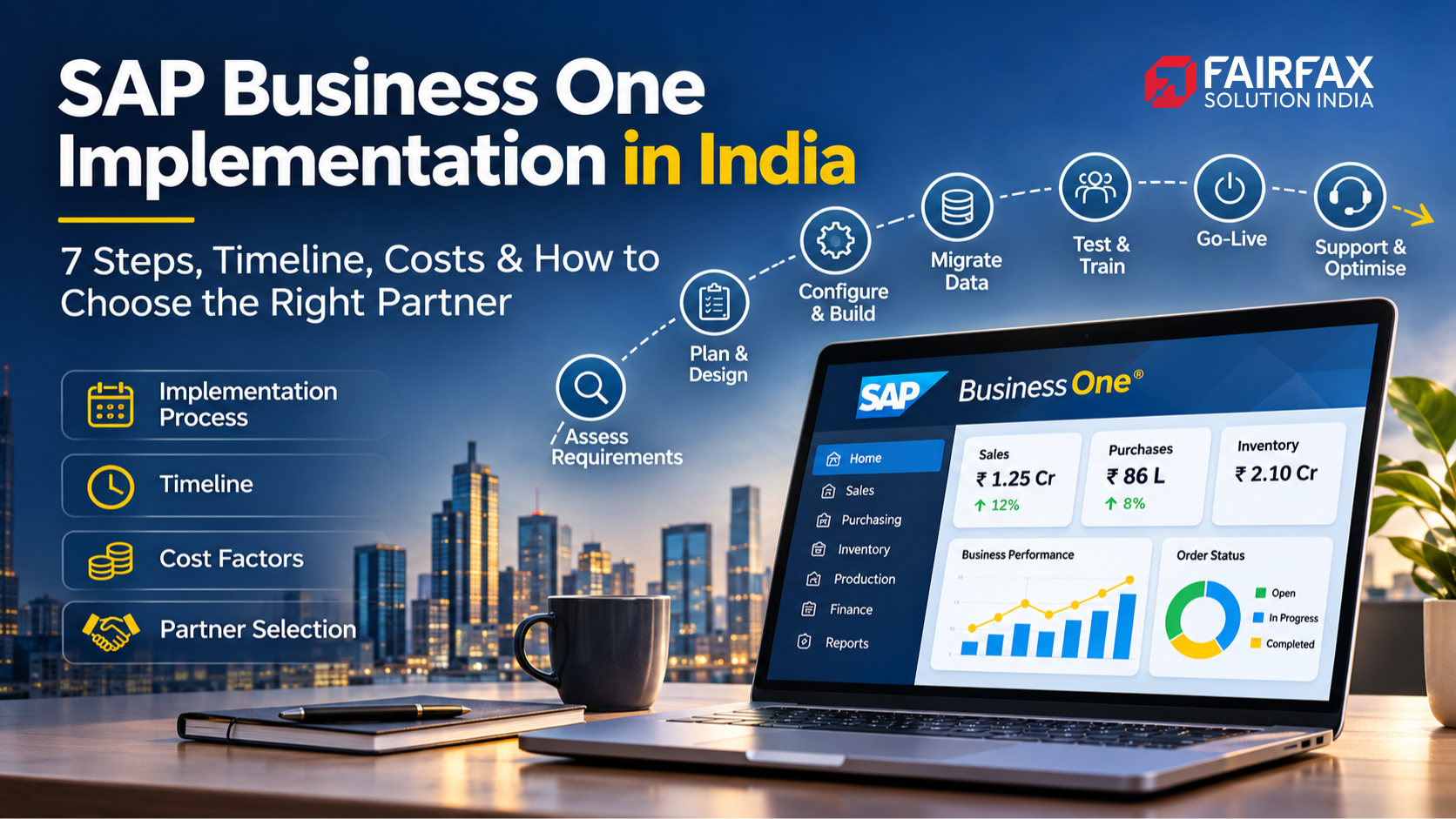
SAP's recommended Accelerated Implementation Program (AIP) methodology organises implementation into five major phases. These can be understood through the following seven practical steps.
1. Project Preparation and Requirement Assessment
The first step is understanding the business.
The implementation team works with key stakeholders to understand the organisation's existing processes, operational challenges, business objectives and expectations from the ERP system.
This stage generally involves:
- Understanding the company's business model
- Identifying departments and key users
- Reviewing existing software and processes
- Defining project scope and objectives
- Identifying infrastructure and integration requirements
- Preparing the implementation plan
A clear assessment at this stage helps prevent misunderstandings and uncontrolled scope changes later.
What businesses should prepare: Involve representatives from finance, sales, purchasing, inventory, production and IT wherever relevant. Their input will help the implementation team understand how work actually happens.
2. Business Blueprint and Process Mapping
Once requirements are understood, the next step is to map existing business processes to SAP Business One.
The implementation partner studies how transactions move between departments and determines how the system should be configured.
For example:
- How are sales orders approved?
- How is inventory updated after a purchase?
- How are production materials issued?
- How are customer payments recorded?
- How are financial reports generated?
The objective is to document the agreed processes and identify any gaps between standard SAP Business One functionality and the company's requirements.
If additional functionality is needed, the team can evaluate configuration options, integrations or custom development.
The documented blueprint becomes the reference for the implementation.
3. System Configuration and Customisation
After the business blueprint is approved, the implementation team configures SAP Business One.
This includes setting up the company's database, financial structures, business partner records, item masters, warehouses, authorisations, workflows and other relevant settings.
Where standard functionality does not fully address a documented requirement, suitable customisation or add-ons may be considered.
Examples include:
- Quality control processes
- Export-import documentation
- Gate entry management
- Goods-in-transit tracking
- Production planning
- Job work management
- Plant maintenance
Customisation should solve a defined business requirement. Unnecessary modifications can increase complexity and make future maintenance more difficult.
4. Data Migration and Integration
Existing business information must be prepared before the new system can be used effectively.
Data migration involves transferring relevant records from legacy accounting software, spreadsheets or other business applications into SAP Business One.
Typical data includes:
- Customer and vendor information
- Item and inventory masters
- Opening stock balances
- General ledger balances
- Outstanding receivables and payables
- Relevant historical transaction data
Data should be reviewed, cleaned and validated before migration.
The implementation team may also configure integrations with other applications, such as e-commerce platforms, payroll systems, logistics software, payment systems or third-party business applications.
Poor data quality is one of the issues that can delay an ERP implementation. Migrating inaccurate or duplicate records can create problems from the first day of operation.
5. Testing and User Training
Before going live, the configured system must be tested against real business scenarios.
Testing should cover complete business processes rather than isolated screens.
For example, a sales process should be tested from quotation and sales order creation through delivery, invoicing and payment recording.
Other important test scenarios include:
- Purchase order to goods receipt
- Inventory transfers between warehouses
- Production order and material consumption
- Customer returns and credit notes
- Financial postings and reporting
- Third-party integrations
Employees should also receive role-based training so they understand how to perform their daily tasks.
Training should not be limited to demonstrations. Users should practise actual business scenarios in the test environment.
6. Go-Live Preparation
Go-live is the transition from the existing system to SAP Business One.
Before this happens, the project team should confirm that:
- Critical testing issues have been resolved
- Opening balances and master data are validated
- Users have completed the required training
- User permissions are configured
- Infrastructure and backups are ready
- Cutover activities are documented
- Key stakeholders have approved the transition
The cutover plan defines the sequence of activities required to move operations to the new system.
Businesses should agree on the go-live date only after reviewing readiness, not simply because a target date has been reached.
7. Go-Live, Support and Optimisation
Once SAP Business One goes live, employees begin using it for daily operations.
The implementation team monitors the system, helps resolve initial issues and supports users during the transition.
After the initial support period, ongoing maintenance and optimisation become important.
This may include:
- Technical troubleshooting
- User assistance
- Database and system maintenance
- Report modifications
- New user and authorisation setup
- Process improvements
- Integration support
- Functional enhancements
A structured Annual Maintenance and Support (AMS) arrangement can help businesses maintain system reliability and address evolving requirements.
How Long Does SAP Business One Implementation Take?
There is no single implementation timeline that applies to every company.
The duration depends on the organisation's size, number of users, business locations, process complexity, data quality, integrations and customisation requirements.
A company with straightforward accounting, sales and inventory requirements will generally have a different implementation scope from a manufacturer managing multiple warehouses, production processes and specialised reporting.
The following is an indicative planning framework, not a guaranteed SAP implementation schedule:
| Implementation activity |
What influences the duration |
| Requirement assessment |
Number of departments and business processes |
| Business blueprint |
Process complexity and stakeholder availability |
| Configuration |
Modules, workflows and company structure |
| Data migration |
Data volume, quality and legacy systems |
| Testing and training |
Number of users and test scenarios |
| Go-live preparation |
Readiness, approvals and cutover requirements |
Your implementation partner should provide a project plan with phase-wise milestones, dependencies, responsibilities and sign-offs.
Ask for a realistic timeline based on your actual requirements rather than accepting a generic implementation promise.
What Is the Cost of SAP Business One Implementation in India?
The cost of SAP Business One varies according to the software licensing arrangement and the scope of implementation.
There is no reliable single price that applies to every business.
The total project investment may include:
1. Software licences: The licence cost depends on the selected licensing model, user types and number of users.
2. Implementation services: This covers requirement analysis, process mapping, configuration, deployment and project management.
3. Customisation and add-ons: Additional development or specialised functionality may increase the project cost.
4. Data migration: The effort required to clean, prepare, transfer and validate existing data can affect the implementation budget.
5. Integrations: Connecting SAP Business One with external applications may require additional development and testing.
6. Infrastructure and hosting: Deployment requirements, servers, cloud hosting, backup and security arrangements can influence the total investment.
7. Training and ongoing support: Employee training, post-go-live assistance and annual maintenance should also be considered.
When comparing proposals, look beyond the initial quotation. Understand exactly what is included, what is excluded and how additional requirements will be priced.
How to Choose the Right SAP Business One Implementation Partner in India
The implementation partner plays a significant role in the success of an ERP project.
A suitable partner should understand both the software and the operational realities of your industry.
Before making a decision, evaluate the following:
Industry Understanding
Does the partner understand your business processes?
A manufacturing company, a trading business and a logistics provider may require very different workflows and configurations.
Implementation Experience
Ask about previous SAP Business One implementations and the types of projects handled by the team.
Relevant experience can help the partner anticipate challenges and recommend practical solutions.
Technical and Functional Capabilities
Check whether the partner can handle configuration, customisation, integrations, reporting, data migration and technical requirements.
Project Planning and Transparency
The partner should provide a clear scope, implementation plan, milestones, responsibilities and communication structure.
Training and Post-Implementation Support
ERP implementation does not end at go-live. Confirm how user training, issue resolution, maintenance and future enhancements will be handled.
Customisation and Add-on Capabilities
If your business has specialised requirements, check whether the partner can provide suitable extensions without making the system unnecessarily complicated.
Common SAP Business One Implementation Mistakes to Avoid
Even a capable ERP platform can fail to deliver its expected value if the implementation is poorly planned.
Watch out for these common mistakes:
- Unclear project scope: Starting implementation without documenting business requirements can lead to delays and unexpected costs.
- Poor data preparation: Migrating inaccurate or duplicate records creates problems in reporting and daily operations.
- Limited employee involvement: Excluding end users from requirement discussions can result in a system that does not reflect actual workflows.
- Insufficient testing: Testing only individual functions instead of complete business processes can leave critical issues undiscovered.
- Over-customisation: Modifying too many standard processes can increase complexity and maintenance requirements.
- Ignoring post-go-live support: Employees need assistance after deployment as they adapt to the new system.
A structured implementation process, clear communication and active participation from the customer team can help reduce these risks.
Is Your Business Ready for SAP Business One?
SAP Business One may be worth evaluating if your organisation is experiencing challenges such as:
- Disconnected accounting, inventory and sales systems
- Difficulty tracking stock across warehouses
- Manual reporting and repeated data entry
- Limited visibility into business performance
- Increasing transaction volumes
- Complex purchasing or production processes
- Difficulty managing multiple business locations
The decision should be based on business requirements, not simply on the number of employees or the company's turnover.
A proper assessment can help determine whether SAP Business One is suitable for your organisation and what implementation scope would be appropriate.
Implement SAP Business One with Fairfax Solutions
Choosing an ERP system is an important investment. Choosing the right implementation approach is equally important.
Fairfax Solutions helps businesses evaluate, implement, customise and support SAP Business One according to their operational requirements.
From requirement assessment and implementation planning to specialised add-ons, integrations and ongoing support, the objective is to help businesses build a more connected and manageable operating environment.
Whether you are moving away from disconnected software or looking to improve existing business processes, the first step is understanding what your organisation actually needs.
Planning an SAP Business One implementation in India?
Speak with Fairfax Solutions to discuss your business requirements and explore the right implementation approach.
Visit: https://fairfaxsolution.com/sap-business-one-erp/




 November 2, 2026


